Budgeting in NZ: Start Your Plan in 60 Minutes
By Jack Ridder ·


Start a simple weekly budget using KiwiBudget and contact MoneyTalks if you need free mentoring. That’s the short answer. Personal finance in NZ doesn’t require a financial degree or a complicated spreadsheet. You need your last pay stub, a list of your fixed bills, and about an hour.
Here’s what to do right now:
- Grab your last payslip or bank statement to confirm your take-home income.
- List every fixed bill you pay each month (rent, power, internet, insurance).
- Set up a free account with KiwiBudget or pull up the Work and Income budget worksheet to start entering numbers.
If your numbers show you’re spending more than you earn, don’t stop there. Call MoneyTalks or book a session with a financial mentor through Work and Income. Free help exists, and it’s genuinely useful.
Key Takeaways
Budgeting in NZ works best when you start with real numbers, automate your saving from day one, and use NZ-specific tools and free support services rather than generic resources.
| Point | Details |
|---|---|
| Normalize your pay cycle | Divide fortnightly income by 2 to get a weekly baseline before calculating any surplus or deficit. |
| Automate saving immediately | Set a standing order for even $10–$20 a week into a separate emergency fund the day after payday. |
| Use free NZ support | MoneyTalks and Work and Income financial mentors are free, confidential, and can negotiate with creditors on your behalf. |
| Switch to save | Consumer NZ reports car insurance switching can save a significant amount and power plan switching can lead to substantial average annual savings. |
| Try KiwiBudget | KiwiBudget connects to your NZ bank through a licensed open banking provider and sorts spending using categories tuned to New Zealand merchants. |
Table of Contents
- How to set up a starter budget for NZ in 30–60 minutes
- Which NZ budgeting tool should you actually use?
- Where to get free budgeting help in New Zealand
- Quick wins to lower your living costs in NZ
- How do you choose the right budgeting method or app?
- Why KiwiBudget is built specifically for New Zealand
- A note on starting small and getting it right
- KiwiBudget gets you started in three steps
- Key New Zealand resources to bookmark
- Sources
How to set up a starter budget for NZ in 30–60 minutes
A working budget doesn’t need to be perfect. It needs to be real. Follow these three steps and you’ll have a usable first draft by the time your coffee goes cold.
Step 1: Capture your income and standardize the timing
Write down every income source: wages, salary, Working for Families tax credits, Accommodation Supplement, Child Support, or any other Work and Income payment. The key is getting everything onto one timeline.
If you’re paid fortnightly, divide each amount by 2 to get a weekly figure. The Work and Income budget worksheet uses exactly this approach, starting with “My income each week (after tax)” and instructing you to divide fortnightly amounts by 2. Skipping this step distorts your surplus or deficit and leads to bad decisions.
For irregular income (seasonal work, contracting, self-employment), use your lowest typical week as the baseline. You can always adjust upward in a good week.
Step 2: List your expenses and find your surplus or deficit
Split spending into two buckets:
- Box A (fixed essentials): Rent or mortgage, power, internet, insurance, KiwiSaver contributions, student loan repayments, ACC levies, hire purchase payments.
- Box B (variable spending): Groceries, petrol, eating out, subscriptions, clothing, entertainment.
Subtract Box A and Box B from your weekly income. The result is your weekly surplus (positive) or deficit (negative). A negative number isn’t a crisis. It’s information, and it tells you exactly where to focus.
Step 3: Set up automatic saving and plan your next review
Once you know your surplus, automate it. Set up a standing order to move even $10–$20 a week into a separate savings account the day after payday. This is the “pay yourself first” principle, and it works because the money leaves before you can spend it.

Create one emergency bucket with a target of $500–$1,000 to cover unexpected costs without reaching for a credit card. Sorted’s budget planner supports separate accounts for fixed expenses, which reduces decision fatigue for households with irregular income.
Schedule a 15-minute budget review for the same day each month. Set a calendar reminder now.
Checklist for your 30–60 minute session:
- [ ] Last payslip or bank statement
- [ ] List of all fixed bills with amounts
- [ ] List of debts (credit cards, hire purchase, student loan balance)
- [ ] KiwiSaver contribution rate (check your payslip)
- [ ] Any Work and Income or IRD payments you receive
Pro Tip: If your income varies week to week, calculate a 3-month average and use that as your baseline. Then set aside any income above that average into a buffer account so lean weeks don’t derail your plan.
Which NZ budgeting tool should you actually use?
The right tool is the one you’ll open again next week. Here’s how the main options stack up for New Zealanders, and why KiwiBudget is the recommended starting point for most people.
Why KiwiBudget works for NZ users
KiwiBudget connects to your NZ bank through a licensed open banking provider, so transactions are sorted against KiwiBudget’s own New Zealand merchant list as they arrive. You’re not manually entering every Pak’nSave run or Woolworths shop, and optional AI categorisation, which is off unless you switch it on, can label anything the list cannot place. There is a tax calculator covering PAYE, the ACC earners' levy and student loan repayments on current IRD rates, a place to record your KiwiSaver balance and contribution rate, and forecasting tools so you can see where your finances are heading, not just where they’ve been.
Setting up NZ-specific items in KiwiBudget:
- KiwiSaver: record your balance and contribution rate, or connect a provider through Akahu, and see projections beside your everyday accounts.
- Student loan repayments: estimated in the tax calculator from your gross pay. They come out before your pay reaches the bank, so a bank feed never sees them.
- ACC levies: visible as a distinct line item so you’re not confusing them with tax.
- Tax: a built-in calculator works out PAYE, the ACC earners' levy, student loan repayments and the independent earner tax credit on current IRD rates.
Other tool types worth knowing
Not every tool needs to be an app. Here’s a quick map of what’s available:
- Bank-connected planners: Most major NZ banks (ASB, ANZ, Westpac, BNZ) offer built-in budgeting tools with auto-categorization and spend alerts. Good for a first look, but they only show accounts at that bank.
- Manual spreadsheet planners: Google Sheets or Excel with a simple income/expense template. Zero cost, full control, but you enter everything yourself.
- Envelope or bucket systems: Allocate cash or separate bank accounts to spending categories. Works well for people who overspend in specific areas like groceries or eating out.
- Calendar-based pay-cycle planners: Tools that align spending to your specific pay dates rather than a calendar month. Useful for fortnightly earners who find monthly budgets confusing.
- Sorted’s budget planner: Free, NZ-specific, and built around planning and budgeting as a flexible money plan you adjust over time. A solid manual option if you want a government-backed tool with no account required.
When to use an app vs. a spreadsheet vs. a mentor: If you have multiple income sources, debts, or a family budget, an app with bank integration saves hours each month. A spreadsheet works fine for a single earner with straightforward finances. A mentor is the right call when your weekly total is negative and you’re not sure where to cut.
Where to get free budgeting help in New Zealand
Free financial support in NZ is more accessible than most people realize. These services are confidential, non-judgmental, and designed exactly for the situations most people feel embarrassed to talk about.
MoneyTalks
MoneyTalks is New Zealand’s free financial helpline, operated by FinCap and funded by the Ministry of Social Development. Call, text, or chat online. The service answers day-to-day money questions and connects you to a local financial mentor. It’s the fastest route to professional help with no cost and no paperwork upfront.
Work and Income budgeting support
Work and Income offers financial mentoring and budgeting guidance through its network of community partners. Mentors can help you complete a Financial Plan of Action and negotiate reduced payments with creditors. This isn’t just advice. A mentor can contact a lender on your behalf and work out a repayment plan you can actually afford.
Community budgeting trusts
Local budgeting trusts operate face-to-face across New Zealand. The budgeting trust network can connect you to a service in your area. These services are particularly useful for complex situations: multiple debts, hire purchase agreements, or households where income and expenses are shared across several people.
What to bring to your first mentoring session:
- Proof of household income (payslips, Work and Income letters, IRD statements)
- Three months of bank statements
- All regular bills (power, rent, internet, insurance)
- A list of debts: mortgage or rent arrears, credit card balances, hire purchase, student loan balance
- Any court orders or debt collection letters
Who benefits most from mentoring? People with a negative weekly surplus, anyone managing variable or seasonal income, and households juggling multiple debts. If you’re not sure whether you qualify, call MoneyTalks first. They’ll tell you in five minutes.
Quick wins to lower your living costs in NZ
Small changes compound faster than most people expect. Consumer NZ’s 2026 guidance highlights four practical areas where New Zealanders consistently leave money on the table.
Four high-impact areas:
- Car insurance: Switching providers or adjusting your excess can save a significant amount per year, according to Consumer NZ. Get at least two comparison quotes before your renewal date.
- Power plan: Switching power plans through Powerswitch can lead to substantial average annual savings. It takes about 10 minutes online.
- Unused subscriptions: Streaming services, gym memberships, and app subscriptions add up fast. Audit your bank statement for anything you haven’t used in the past 30 days and cancel it today.
- Power usage habits: Shorter showers, turning off standby appliances, and switching to LED lighting are small changes that show up on your bill within one billing cycle.
Pro Tip: Automate your savings the same day you get paid. Set a standing order for even $20 a week into a separate account named “Emergency Fund.” You won’t miss what you never see, and after six months you’ll have over $500 as a buffer.
For irregular-income households: Separate your fixed costs (rent, power, insurance) into a dedicated account and transfer the weekly equivalent each payday. When a high-income week hits, top up the buffer rather than spending the surplus. This smooths out the feast-and-famine cycle that catches seasonal workers and contractors off guard.

How do you choose the right budgeting method or app?
Before committing to any tool, run through these questions. The answers will narrow your options quickly.
Questions to ask yourself:
- Do I want my bank transactions to import automatically, or am I comfortable entering them manually?
- Do I need to track KiwiSaver contributions, student loan repayments, or ACC levies as separate line items?
- Am I budgeting alone, or do I need a partner or family member to access the same budget?
- What’s my pay cycle? Does the tool handle fortnightly or irregular pay without forcing me into a monthly view?
- Am I willing to pay a monthly fee for more features, or do I need a free option right now?
Selection criteria for NZ users:
- Ease of setup: Can you have a working budget in under an hour?
- Pay-cycle handling: Does it support weekly, fortnightly, and irregular income?
- Bank connectivity: Does it connect to your specific NZ bank?
- KiwiSaver and IRD awareness: Are these built in or manual workarounds?
- Multi-user support: Can a partner or family member access the same account?
- Cost and trial: Is there a free tier or a trial period before you commit?
Security red flags to watch for:
- No two-factor authentication option.
- Vague data-sharing terms that mention selling or sharing data with third-party partners.
- No clear statement about where your data is stored.
- No privacy policy specific to New Zealand law.
What to test in the first 7–14 days of a paid app: Connect your bank and let it run for one full pay cycle. Check whether the categories match your actual spending, whether NZ-specific items (KiwiSaver, ACC) appear correctly, and whether the alerts are useful rather than noisy. If you’re still opening it after two weeks, it’s working.
Why KiwiBudget is built specifically for New Zealand
Most budgeting apps are designed for the US or UK market and then adapted for NZ users as an afterthought. KiwiBudget is built the other way around.
Core features mapped to NZ needs:
- NZ bank connections: Connects through a licensed New Zealand open banking provider. Transactions categorise automatically using rules tuned to NZ merchants, with AI for anything the rules cannot place.
- KiwiSaver tracking: Monitors your contribution rate and employer contributions as distinct line items, not lumped into generic “deductions.”
- NZ tax calculator: Tracks real-time tax obligations so self-employed users and those with multiple income sources aren’t caught short at tax time.
- StudyLink and student income: StudyLink payments, student allowance and student loan living costs are recognised as income rather than filed as spending.
- Student loan repayments: Estimated in the tax calculator from your gross pay, because they are deducted before your pay reaches the bank.
- Wealth forecasting: Projects your financial trajectory based on current income, spending, and saving patterns.
Trust signals to verify:
- Two-factor authentication: check the app’s security settings on signup.
- Data residency: confirm where your financial data is stored.
- NZ government resource links: KiwiBudget’s guidance connects to Work and Income, MoneyTalks, and Sorted for support beyond the app.
A note on starting small and getting it right
Getting your finances under control doesn’t require a perfect plan on day one. The most common mistake is waiting until you have all the information before starting. You don’t need it. A rough budget with real numbers beats a perfect budget that doesn’t exist.
Pick one action from this article and do it today. Create a KiwiBudget account and connect your bank. Or pull up the Work and Income worksheet and spend 20 minutes filling it in. If your numbers show a deficit, call MoneyTalks before the week is out. The mentors there have seen every situation, and the call is free.
KiwiBudget gets you started in three steps
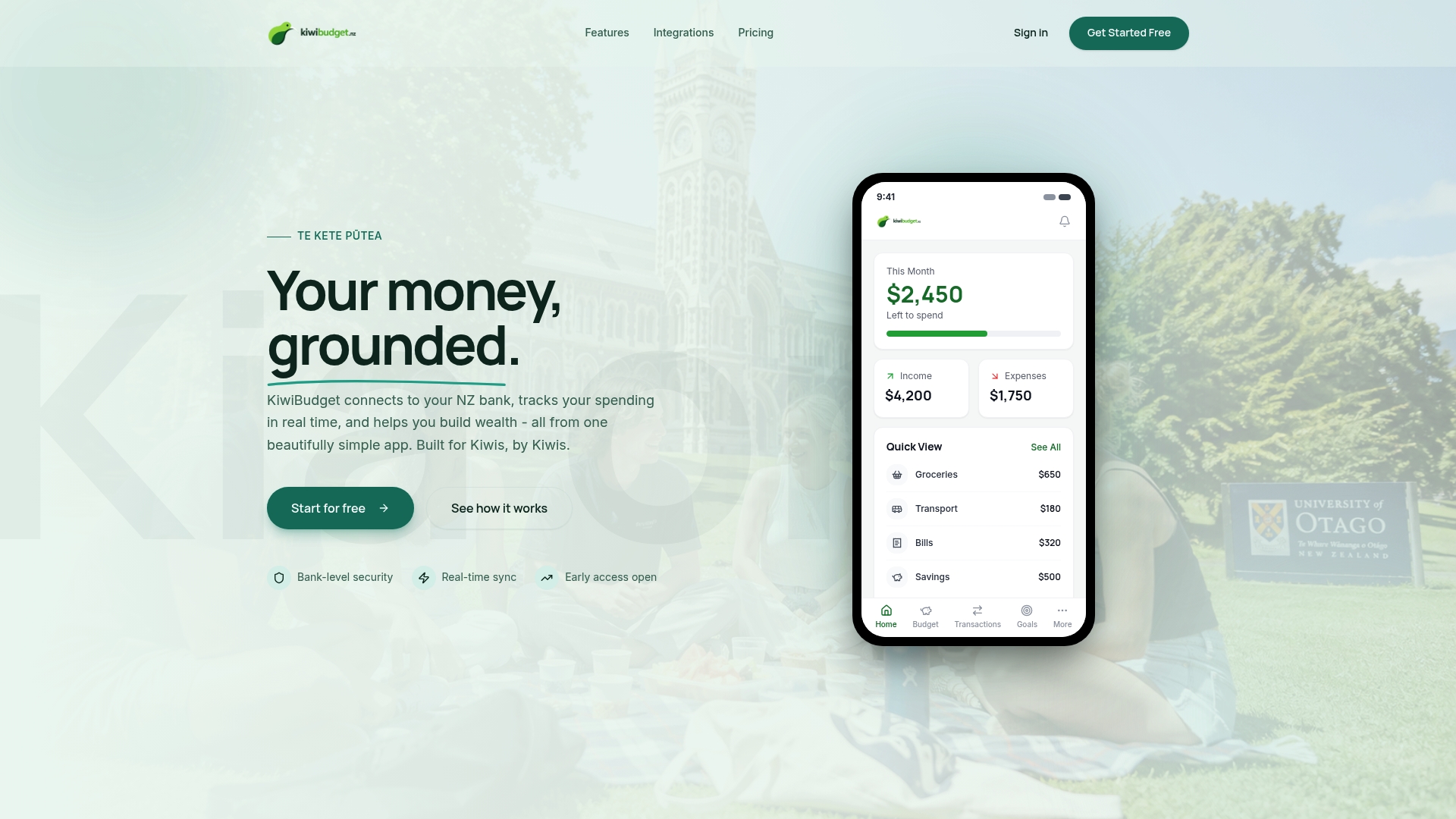
Most people put off budgeting because the setup feels like a project. KiwiBudget cuts that friction down to three steps, and the free tier means you can try it before deciding whether to upgrade.
Getting started:
- Create your account at kiwibudget.nz. The free plan gives you access to core tracking and categorization features.
- Connect your NZ bank and let the app import and categorize your last 30 days of transactions. StudyLink payments, student loan repayments and KiwiSaver contributions categorise automatically.
- Set one automatic saving rule — even $10 a week into an emergency fund. The app lets you set this up in under two minutes.
KiwiBudget is built for New Zealand’s specific financial landscape: your banks, your KiwiSaver, and NZ tax rates. If you want a tool that reflects what you actually earn and spend without manual workarounds, start your free account today.
Key New Zealand resources to bookmark
Use these links to follow up on tools, worksheets, and support services covered in this article.
- Work and Income budget worksheet: The official NZ government worksheet for calculating your weekly income and expenses. Start here if you want a paper-based or printable format.
- Work and Income: managing your money: Explains how financial mentors work, what to bring to a session, and how to access budgeting support through Work and Income’s community partners.
- MoneyTalks (FinCap): New Zealand’s free financial helpline. Call, text, or chat online to get connected to a local mentor. Use this if your budget shows a negative weekly total or you’re managing debt.
- Sorted budget planner: Free, NZ-specific planning tools including a budget planner with weekly, fortnightly, and monthly views. No account required.
- Consumer NZ savings guidance: Practical NZ-specific examples for cutting costs on power, insurance, and subscriptions.
- NZ Budgeting Trust network: Find a local community budgeting service for face-to-face mentoring and help completing a Financial Plan of Action.
If your weekly budget shows a deficit, contact MoneyTalks or your nearest budgeting trust before the situation gets harder to manage. The earlier you call, the more options you have.
This article is general information, not a substitute for advice from a qualified financial advisor. Consult a qualified financial professional about your own circumstances before acting on anything here.
Sources
- Budget worksheet | Work and Income
- Managing your money - Work and Income
- About us | FinCap (MoneyTalks)
- Planning and budgeting | Sorted
- Consumer NZ shares four simple ways to save in 2026